pages

Showing posts with label C#. Show all posts

Wednesday, 7 April 2021

Catching Exceptions with "when"

TLDR;
Use when with a catch block to get hold of exceptions without unwinding the stack.
You can use it to handle exception based on specific property, condition or context.


we were catching exceptions just fine before the introduction of when keyword. I must say, its a good feature released in C# 6.


catch (ExceptionType e) when (expression) 
expression should return a boolean value, if the result is true the ExceptionHandler executes. The only difference I found, it gives you provision to check the variables value in a debug session. I dont see any production value in this feature.


Exception filters (when):
The filter expression is evaluated before the stack is unwound. This means the original call stack and all local variables remain intact during filter evaluation.

  • Handling exception using specific property

    catch (IOException ex) when (ex.Message.Contains("access denied"))
    {                                                                 
        Console.WriteLine("File access denied. Check permissions.");  
        Console.WriteLine(ex.StackTrace);                             
    }                                                                 
    catch (IOException ex) when (ex.Message.Contains("not found")) { Console.WriteLine("File not found. Verify the path."); Console.WriteLine(ex.StackTrace); }
    catch (Exception ex) { Console.WriteLine("general catch all"); Console.WriteLine(ex.StackTrace); }

You wont get to see any difference in the above 3 stack traces printed in the exceptions.

It helps us in examining exception before deciding to handle them and lets us handle based on the context.


catch (IOException ex) when (filePath.contains(@"c:\users"))          
{                                                                     
    Console.WriteLine($"Network file operation failed: {ex.Message}");
}                                                                     


Why do we need multiple catch blocks? why not just use a catchall with (Exception)
  • Catching specific exceptions can help you take more granular decision based on the situation.
  • It can tell you a lot more about the error occurred using the properties specific to that Exception type. Yes they all are derived from Exception but every class has some specific properties limited to them and you can access them if you catch them. Exception handling is a feature that helps the developer to avoid getting embarrassed in front of the client. But using when clause in exception handling is a feature that helps the developer with getting to know about the error better.

Tuesday, 11 February 2020

Using yield return in CSharp


I was not very sure on the use of yield return in C#, until I read completely about it in very simple manner. I will try my best to share all I learned in as simple words I can.

I know it’s a very old thing and many people online use it, but I believe there, still, are many developers like me who are avoiding it because all the books and articles explain it in very few words at very high level view.

So, let us just start with a simple premise, we need a function to return list of numbers from a very large sequence. An example can be to return the list of first 100 even numbers, assume that later on in the program we are processing our list of 100 even numbers. In your case it can be to pull the record of customers from database on certain condition.

Well there are many efficient ways to write the same program, I intentionally chose this, as this post is about keeping it simple.

If you keep the input as 100, there is no major memory allocation, but if the input is changed to 1million or more, the memory allocated for execution of the program increases drastically. Same can be checked using diagnostic tools in visual studio.


We live in the world where memory cost is always ignored against CPU, but that should not be our reason to fill the stack when we can do better.

yield return is a solution. I wrote the same program as above, the only difference is the return type. Instead of returning the List we are here returning IEnumberable.

Don’t even think of counting the elements in the sequence. This is IEnumerable, not IQueryable. IEnumberable<T> exist in System.Collections.Generic.
IQueryable exists in System.Linq. This article talks about the difference in detail.
You can find the complete program on github.

I hope this was easy. Please share your thoughts in the comments below.

Wednesday, 1 May 2019

Serialization.

Serialization.

It used to be a very important concept but looks like everything is taken care of nowadays by the framework. Still, I feel the need to mention the same as I found a lack of resources/ blog to guide about the process. what it means, how to do it etc.

what is serialization?

As per Wikipedia,

serialization (or serialisation) is the process of translating data structures or object state into a format that can be stored.

Serialization we do in usually is to convert our code to JSON/XML or converting JSON/XML code back to object. There is an awesome library available for handling JSON which is Json.Net. It is written by a guy named James Newton King who is from New Zealand and currently working at Microsoft on asp.net team.

I have planned a few post on same topic, out of which all deals with either converting your XML to the object of your choice or the object to the XML.

C# provides extensive support to XML, under the namespce System.Xml. More about the namespace can be explored at apisof.net. 

Tuesday, 16 May 2017

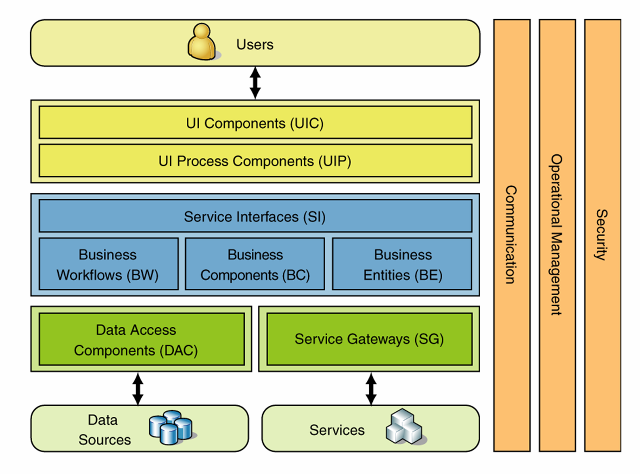
Difference between Tier and Layers

During an interview this question was asked and I was pretty sure that what ever layers we create in our code (Presentation, BLL, DLL etc) are the tiers but I was wrong.
An answer on stack overflow sums it up very well.
A layer = a part of your code, if your application is a cake, this is a slice.
A tier = a physical machine, a server.

Scott Hanselman also have a nice blog post on same. He says:
a "Tier" is a unit of deployment, while a "Layer" is a logical separation of responsibility within code.  You may say you have a "3-tier" system, but be running it on one laptop.  You may say your have a "3-layer" system, but have only ASP.NET pages that talk to a database. 

and then he explains about what should be there in your Presentation, BLL and DLL and what should not be there.


Sunday, 23 April 2017

Iqueryable vs Ienumerable a comparison.

There is always a doubt in developers mind regarding usage of IQueryable and IEnumerable.

IQueryable extends IEnumerable. IQueryable should be used while working with remote databases. 

Well, here are some facts which can help resolving your doubt and can strengthen your decision-making as which one to use.


Some important points about Ienumberable<T>
  • It's read-only.
  • Iterates only in forward direction.
  • Doesn't supports adding or removing objects.
  • It's a base interface for any generic collection
When to use IEnumberable:
  • Working with read-only collection
  • Need to read objects in the forward direction.
  • Want to iterate collection using for-each.


Some important points about IQueryable<T>
  • It implements IEnumerable so the results can be iterated using for-each.
  • Best suited for querying against the remote data source.
When to use IQueryable
  • your data source is queryable.
  • Data needs to be applied 
  • The deferred way is needed to load the data.


IEnumerable
IQueryable
Namespace
System.Collections Namespace
System.Linq Namespace
Derives from
No base interface
Derives from IEnumerable
Supported
Supported
Not Supported
Supported
How does it work
While querying data from the database, IEnumerable executes a select query on the server side, load data in-memory on the client side and then filter data. Hence does more work and becomes slow.
While querying data from the database, IQueryable executes a select query on the server side with all filters. Hence does less work and becomes fast.
Suitable for
LINQ to Object and LINQ to XML queries
LINQ to SQL queries
Custom Query
Doesn’t support
Supports using CreateQuery and Execute methods
Extension method
parameter
Extension methods supported in IEnumerable takes functional objects.
Extension methods supported in IEnumerable takes expression objects, i.e., expression tree.
When to use
When querying data from in-memory collections like List, Array, etc.
When querying data from out-memory (like remote database, service) collections.
Best Uses
In-memory traversal
Paging
Table from code project

Sunday, 22 November 2015

Writing a simple web crawler

Crawling is a thing which all search engines do across the web. This is a simple web crawler which crawls the the page you give and will give you back all the links on that page. Here for the sake of example I took Google.com.


using System;
using System.Net;
using System.Collections.Generic;
using System.IO;
using System.Text.RegularExpressions;


public class Crawler
{
	public static void Main()
	{
	string url = "http://www.google.com";
	HttpWebRequest httpWebRequest = (HttpWebRequest)HttpWebRequest.Create(url);
        httpWebRequest.UserAgent = "Anurag's Crawler";
        WebResponse webResponse = httpWebRequest.GetResponse();
        Stream stream = webResponse.GetResponseStream();
        StreamReader streamReader = new StreamReader(stream);
        string htmlText = streamReader.ReadToEnd();
	var allLinks = GetNewLinks(htmlText);
		foreach (var link in allLinks)
		{
			Console.WriteLine(link);
		}		
	}


	private static List GetNewLinks(string content)
{
    Regex regexForLink = new Regex("(?<=<a\\s*?href=(?:'|\"))[^'\"]*?(?=(?:'|\"))");
    List<string> newLinks = new List<string>(); 
    foreach (var match in regexLink.Matches(content))
    {
        if (!newLinks.Contains(match.ToString()))
            newLinks.Add(match.ToString());
    }

    return newLinks;
}
}


Web Crawler  This is a crawler written using Reactive Extension
One more web crawler thats available and bit complex Archnode.net

Friday, 6 December 2013

Distinct Keyword in LINQ

Few days back when I was trying to Filter my result set using Linq Distinct keyword I got into a situation. The keyword didn't worked for me, I was getting same result set with or without Linq.

I Goggled for the solution, But most of the solutions offered to user the Group By operator. which is as follows:

Take an entity that contains following fields:
id, Name.
public class MyDemo
{

public int id{get; set;};

public string Name {get; set;};

}
MyDemo ListData = new MyDemo
{
id=1, Name="Alpha";
id=2, Name="Beta";
id=1, Name="Alpha";
id=3, Name="Gamma";
}
MyDemo ListResult;


ListResult = (ListData.Select(t => t).GroupBy(x => x.Name).Select(y => y.First()).ToList()

Distinct Keyword is little tricky in Linq. At first it would not work same like Distinct in sql server Linq to Object behaves little weird because all are distinct object references so the other way round to this problem is use a GroupBy Operator.

We can get the solution to this problem by introducing an anonymous type to store the result and in that case we will get the desired result.

var result =  (from d in ListData select new { d.id, d.Name }).Distinct();